
» Computer Cuisine™ |

The ultimate home recipe database and organizer just got even better!
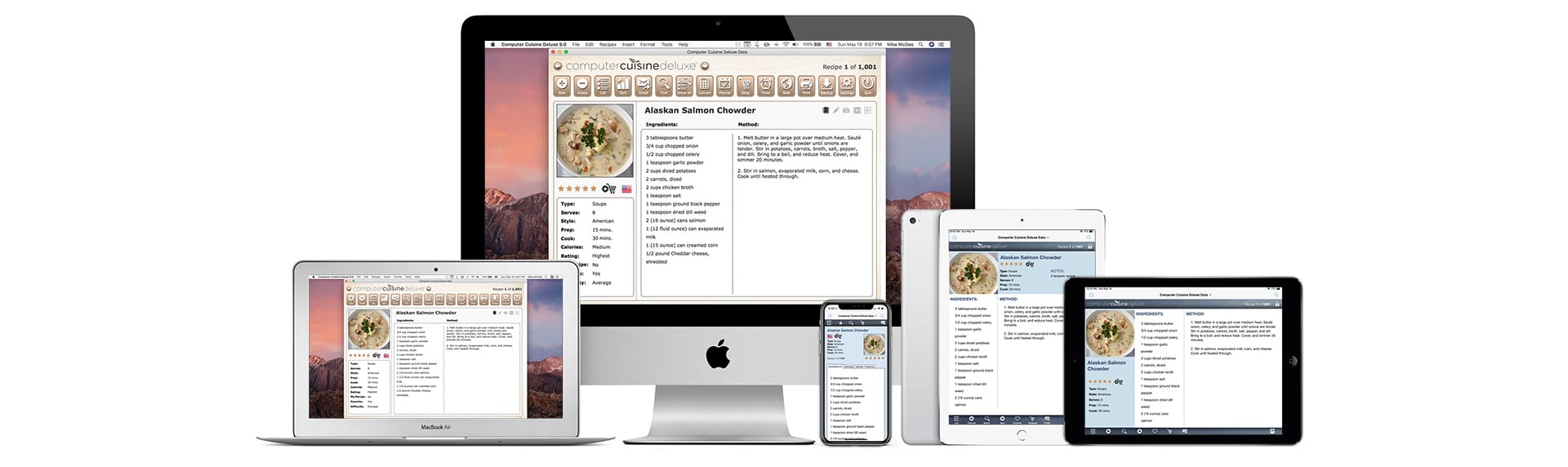
Now with iPhone® and iPad® integration with the FREE Cuisine To Go™ iPhone app!

  
Fully compatible with the latest version of Mac OS X Snow Leopard and Windows 7!
Also compatible with Mac OS X 10.5.7 or later and Windows XP & Vista!

Price: $29.95 US (Single-user license)

Latest Version: Computer Cuisine Deluxe 6.5!
FOR BOTH MACINTOSH AND WINDOWS USERS
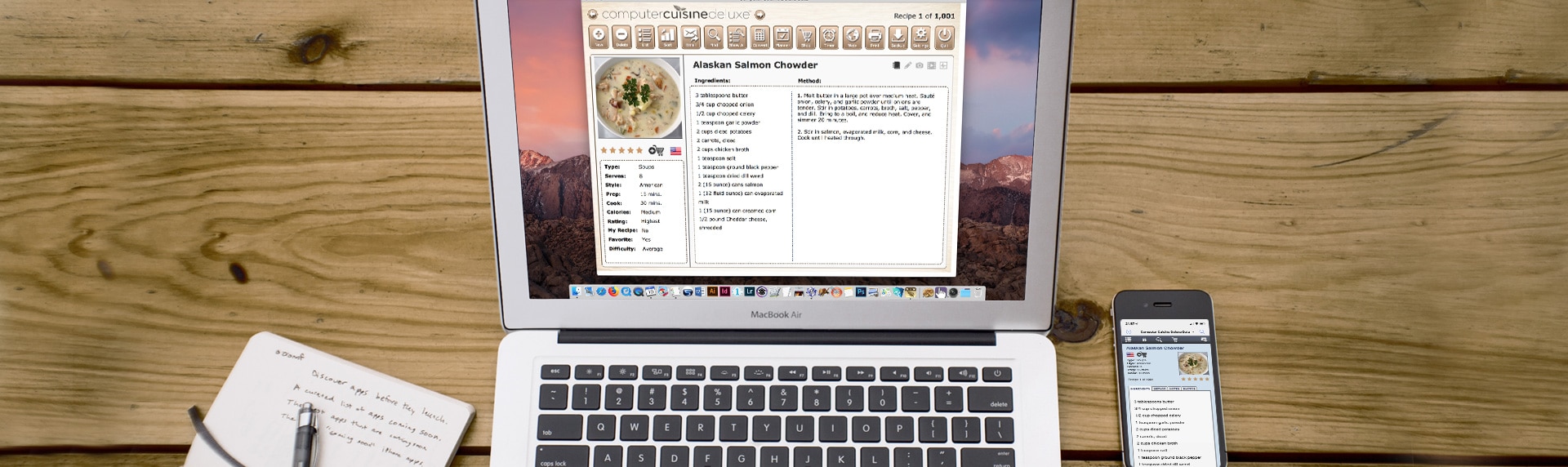
Computer Cuisine Deluxe is the perfect recipe software organizer to allow you to conveniently view, print, sort, file, and manage your cooking recipes. Adding, finding and printing your recipes is a snap. Computer Cuisine Deluxe's powerful database software allows you to add an infinite number of your own recipes to the collection. You can use any of the 1,000 included recipes, or delete them all to personalize the cookbook with only your recipes. Our goal is to make sure this cooking software is exactly how you want it. With the new iPhone and iPad compatible app called Cuisine To Go, you can now take your entire recipe collection with you. Just transfer your recipe collection to your mobile device via your home wireless connection and you'll have thousands of your personalized recipes in your pocket. You'll also never have to write out your grocery lists again. Simply transfer your shopping list to your iPhone and have everything you need on the go. It's really this easy!
New Features! - Other features include: larger display menus, revised print menus, updated text cleaning tools, printing of weekly shopping lists, the ability to import MasterCook recipe software files, spelling alerts as you type, customized dictionaries, scroll mouse enabled, fraction conversions, batch printing, customizable print and email settings, category icons, tools to backup photos and find duplicate recipes, etc. Here is our Press Release.
New features in Computer Cuisine Deluxe 6.5 Include:
NEW! Compatibility with the companion iPhone & iPad app, called Cuisine To Go - Now you can have your entire recipe collection in the palm of your hand on your iPhone, anywhere, with the FREE Cuisine To Go iPhone app! (Requires Computer Cuisine Deluxe 6.1 and a home wireless ‘WiFi’ network.)
NEW! Revamped Layouts - Choose from the standard “tablecloth” design or an alternate layout.
NEW! Multiple Photos Per Recipe - Up to three different photos for each recipe instead of one!
NEW! Updated Horizontal Layout - New horizontal layout that takes advantage the most screens to optimize enlargement of on-screen recipe information.
NEW! Larger Font Sizes - Larger font sizes from the main menu for greater clarity
NEW! Enhanced Tools Menu - More tools than ever before for automated tasks such as recipe data backup, iPhone intregration and more...
NEW! Print Weekly Shopping Lists - Now the shopping list area has been expanded to allow printing of your entire week’s worth of ingredients for your grocery list.
NEW! Send Your Grocery List to your iPhone or iPad - Again, using the Cuisine To Go app, you can never type out your grocery lists again!
NEW! 100% Compatibility with Mac OS X Snow Leopard!
NEW! 100% Compatibility with Windows 7!
Other Feature Highlights in Computer Cuisine Deluxe 6.5 Include:
Mac OS X - Compatibility with Apple’s newest operating system software for Macintosh. Also supports previous Mac OS X operating system software. Universal PowerPC or Intel support too.
Windows - Compatibility with Microsoft’s newest operating system software, Windows 7. Also support for Windows XP and Vista.
Revamped Recipe Print Layouts - Prints single recipe entries up to seven pages in length in all-new cleaner print layouts.
Advanced Settings Menu - More customizable than ever before. Enter your organizer preferences for emailing and printing, and then enjoy one-click functions.
Batch Recipe Printing - Select multiple recipes from the list menu and enjoy multi-recipe printing with one-click.
Recipe Lists Updates - Updated list menus allow you to quickly jump to all recipes of a certain category, letter, serving size or even alphabetically. This organizer has been greatly expanded to include quick columns for recipes with photos, low cal, etc.
Password Preservation (Mac) - Registered Macintosh Users can enter in your password one time, and save it to Apple’s software keychain so you never have to enter your master password ever again.
Cookbook Cleanup Functions - Expanded organizer cleanup functions include removal of double-spaces, correcting returns, font color/sizing correction and much more.
New Automated Tools - Backup your entire home recipe collection, backup photos, set favorites, use your scroll mouse in recipes, make text single or double-spaced, and other tools to make life easier.
Spelling Highlights As-You-Type - See questionable spelling alerts highlighted in your text as you type.
Category Type Icons - Quickly recognize home recipes by item type, based on cooking category icons assigned to each dish.
Find Duplicate Recipes Instantly - Just select the function to view duplicate recipes and you can quickly save, omit or delete any duplicates. This organizes your recipe collection in seconds.
Fraction Conversions - Need help with fractions? Have a recipe that calls for 2/3 cup but you have to multiply it by 5? Just enter in these fractions in the conversions area to have Computer Cuisine Deluxe's cooking software calculate it to the ideal measurement.
Import MasterCook Recipes - We’ve added a new software tool which lets you import recipes created from the program MasterCook as “MXP” files for either single recipes or entire cooking recipe collections. Now you can browse the web for pre-formatted MasterCook program-based recipes and import them with ease.
Internet Features - Include embedded photos as attachments with one click, search popular recipe sites like AllRecipes.com and more.
Shopping List - With our recipe organizer, manage your grocery list and have shopping lists automatically generated from our software based on selected recipes for your cooking.
Weekly Planner - Plan a full week of meals with ease! Just select the meals you'd like to prepare for the week, and have Computer Cuisine Deluxe do the printing, compiling and listing.
Nutritional Guide - Enter in your criteria (age/gender/height/weight) and have our program Computer Cuisine Deluxe generate your exact calorie requirements. You can then enter in nutritional information for recipes, and have daily percentages calculate on the fly.
Updated Find Menu - Now accomplish detailed searches with the greatest of ease. The updated Find Menu allows for searches based on recipe info, source, food, notes, and even nutritional information.
Photo Menu - Use your digital camera to take a picture of your own cooking, and include them in your database with a simple click of the mouse. It's so easy!
Even More Print Options - Print from a variety of sizes with the updated print options. You can now choose smaller fonts for printing directly to 3x5" recipe cards.
Expanded Notes Area - Write detailed notes about each recipe which you can later use to keep track and manage the recipe's website, publication, source, cookbook, etc.
Updated Conversions Menu - Even more Metric/U.S. conversion choices are available. Just type in your measurement in a box and hit enter. The metric conversions are displayed on the right instantly.
Backup Your Recipes Safely and Easily - New software tools have been built into Computer Cuisine Deluxe to make it even easier to manage and backup your recipe data. Just select "Backup All Recipes" from the Tools command, and that's it! You can import/recover your recipe data just as easily.
Huge Collection - Over 1,000 recipes already entered for your convenience.
Internet Features - Added program commands that take advantage of email and web features! Email a recipe to a friend with one click.
Detailed Lists - List your recipes by item, category, type of food, or servings. You can choose. Your recipe organizer has never been this easy.
Expanded sorting functions - Sort and organize huge cookbook recipe lists with one simple click.
...one more time, there are over ONE THOUSAND recipes included!
Print Samples:
Since the demo does not allow for user-based printing, you may want to know just what the recipes look like when printed. If so, below are some sample prints in various sizes:
Black Ink Only - Large Print (US Letter size): download/view PDF
Black Ink Only - Medium Print (4"x 6" card size when cut/folded): download/view PDF
Black Ink Only - Small Print (3"x 5" card size when cut/folded): download/view PDF
Black Ink Only - Binder Size Print (extra room for binder roles): download/view PDF
Color - Large Print (US Letter size): download/view PDF
Color - Medium Print (4"x 6" card size when cut/folded): download/view PDF
Color - Small Print (3"x 5" card size when cut/folded): download/view PDF
Color - Binder Size Print (extra room for binder roles): download/view PDF
How To Purchase Online
Ordering Computer Cuisine Deluxe is easy!
1. Simply download the FREE DEMO version for your operating system:
  
Fully compatible with Mac OS X Snow Leopard and Windows Vista/7!
2. Purchase your code to unlock Computer Cuisine Deluxe.
Once you have downloaded the free demo, you can login using the "Guest Account" to test out the product for free. Many features have been disabled in the demo mode. If you like it and would like to unlock all of the features of Computer Cuisine Deluxe, click the button below to purchase via our secure credit card processing parter, Kagi:
Price: $29.95 (Single-user license)

You can pay using ALL major credit cards, or via PayPal!
All orders are processed using Kagi's Secure ordering system.
Your personal information is never sold, used or given to a third party.
This information only needed to send your Registration Password and any update information.
3. Unlock Code Via Email.
You will then be sent your personalized account name and password to unlock Computer Cuisine Deluxe. This usually takes place in 1-2 minutes.
That's it!
After you have registered, just lunch Computer Cuisine Deluxe, enter your personalized account name and password, and you'll be up and running in minutes!
If you have any questions, or need further assistance, please visit the Frequently Asked Questions area of our support forum. We encourage you to register with our forum, to participate and to swap your favorite recipes!
|
|
» Share This Page |
|
|
» Cuisine To Go App |
iPhone & iPad App!

|
» Computer Cuisine 6.5 |
|
|
» Screen Shots v6.5 |
Screen Shots:
(Click any of the thumbnails below to enlarge)
|
|