
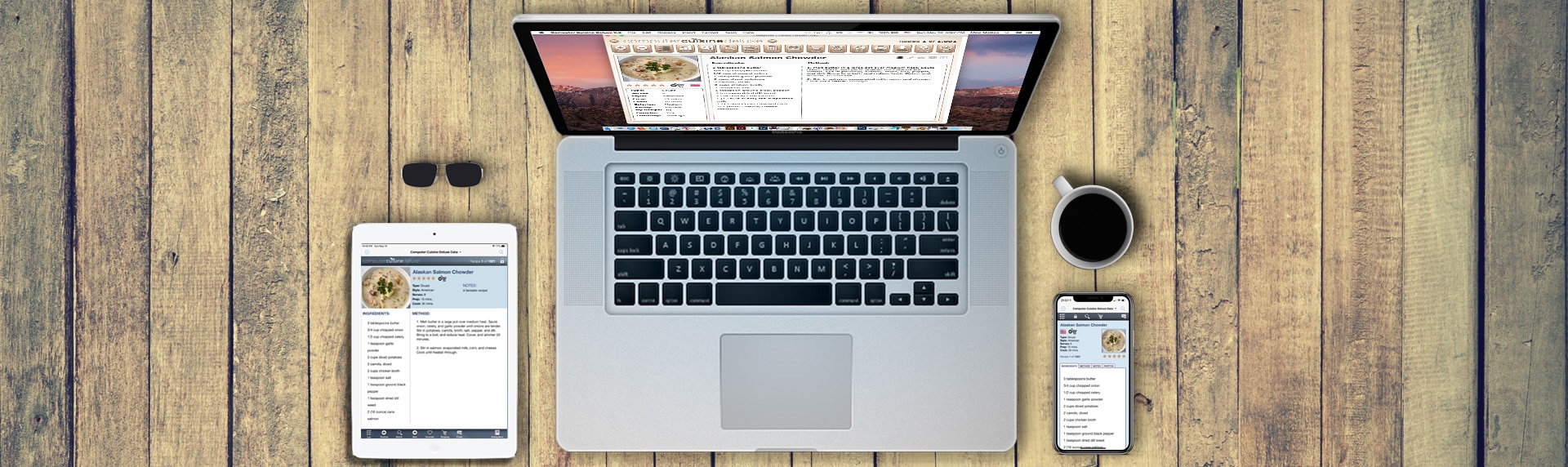

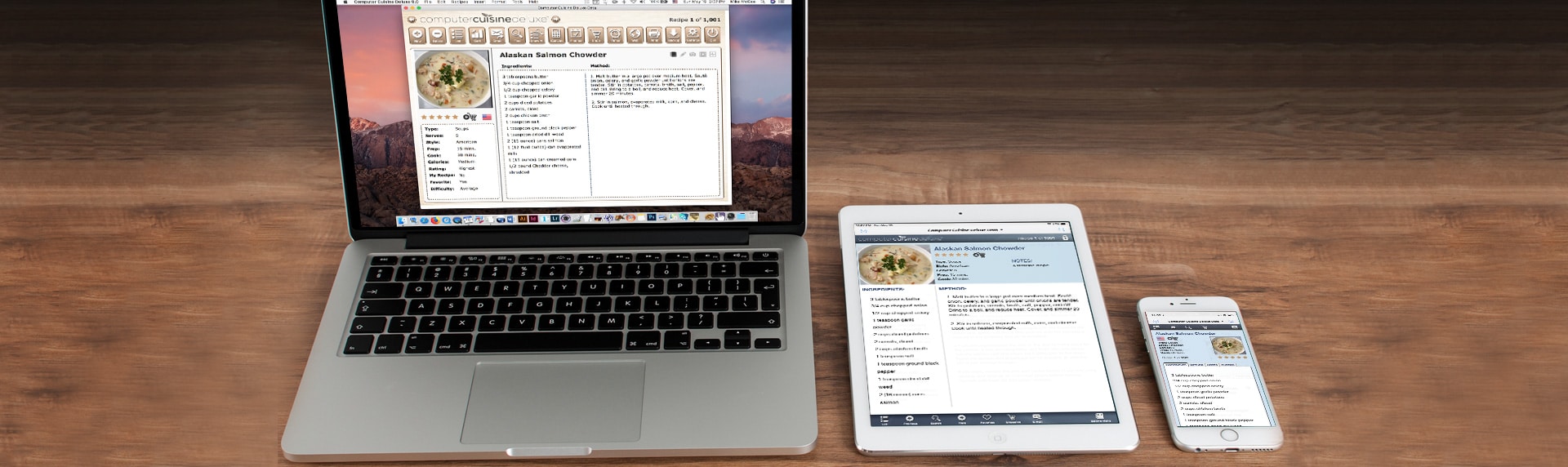

Computer Cuisine Deluxe

Computer Cuisine Deluxe 9.0
The ultimate Mac & Windows Home Recipe database software and organizer solution
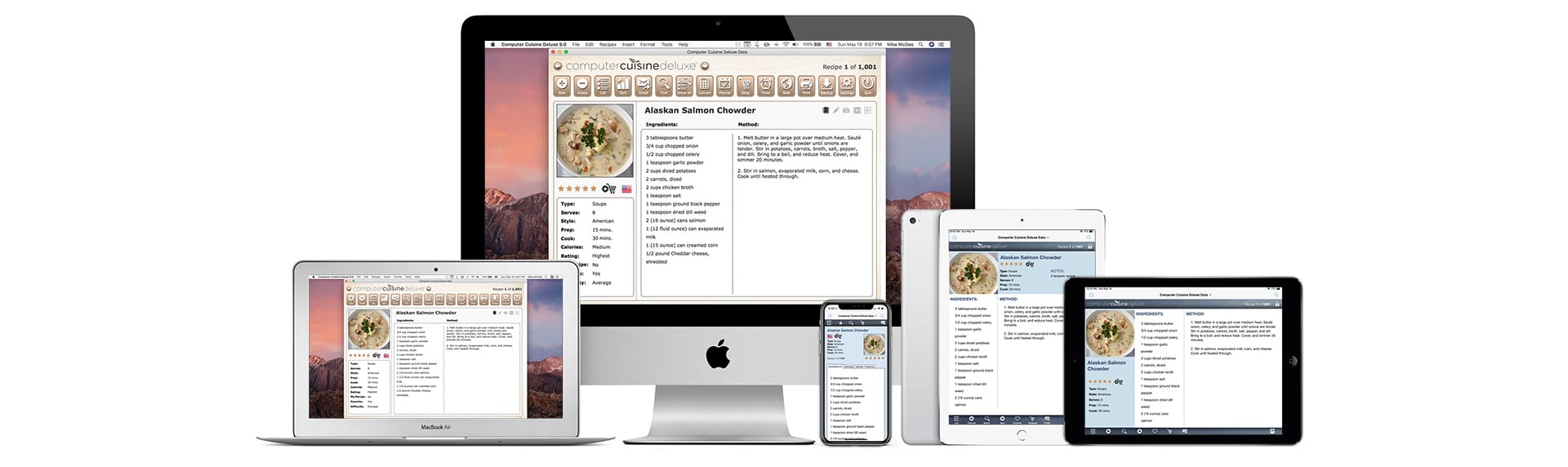
Computer Cuisine Deluxe is the award winning recipe organizer to help you manage your entire cooking recipe collection on Mac or Windows, including macOS Catalina. With Computer Cuisine Deluxe you can view, sort, print, email, search, share and manage your entire recipe collection either on your home computer or view your recipes on your iPhone or iPad with the free companion app. With easy-to-use menus, and 1,001 recipes included, Computer Cuisine is the best recipe management tool either at home or on the go!
Computer Cuisine Deluxe is also the longest running Mac recipe software program on the planet! This Mac recipe organizer debuted on macOS way back in 1990. It has been updated and refined for 2019, and also includes a Windows version and a free companion iPad and iPhone app. If you are a looking for a Mac recipe organizer to manage your recipes, look no further than Computer Cuisine Deluxe.
Not sure if Computer Cuisine Deluxe is right for you? No worries. Computer Cuisine Deluxe is available as a free demo download. Try before you buy. Just click the Download link and try the free demo for macOS or Windows.
AWARD WINNING FEATURES
- Mac & Windows compatible
- Compatible with macOS Catalina
- Enter your personal recipes with ease
- Free iOS companion app for iPhone & iPad
- Create shopping/grocery lists
- Create a meal planner to plan recipes for the week
- Print grocery coupons at home with ease
- Spell check as-you-type for error free recipe entry
- Customizable pull-down menus to avoid repetitive entries
- Award-winning Mac recipe software
- Magic Fix menu to cleanup imported web recipes
- Photo tab to include photos for each recipe
- Video tab to easily embed multiple videos for each recipe
- Nutrition tab to include dietary information for each recipe
- Conversions menu for easy calculations
- Multiple text cleanup functions to fix fonts, colors, double-spaces, etc.
- Search popular recipe web sites with one click
- Find duplicate recipes easily to delete if needed
- iOS recipe information adjusts for multiple iPhone sizes
- Choose from the Wood or Classic Blue design themes
- Print recipes in multiple sizes including 3×5″ cards
- Backup your recipe collection with one click
- Optionally backup your recipe collection to Dropbox
- Check off shopping list items as you go in the supermarket on your iPhone
- Custom spelling dictionaries that learn as you go
- 1,001 recipes included to get your started
- Detailed User Guide included to give you tips & tricks
- Print recipes to Avery 8386 4×6 recipe cards
- Free Demo download to try before you buy
SAMPLE SCREENSHOTS (WOOD THEME)
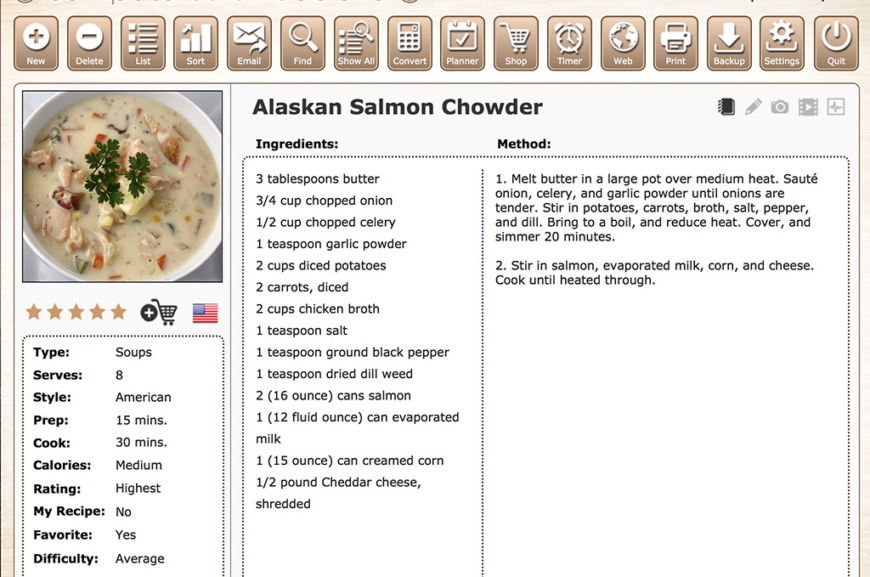
Computer Cuisine Deluxe 9.0 Main Menu (Wood Theme)
Computer Cuisine Deluxe Windows Mac Recipe Software Organizer Manager
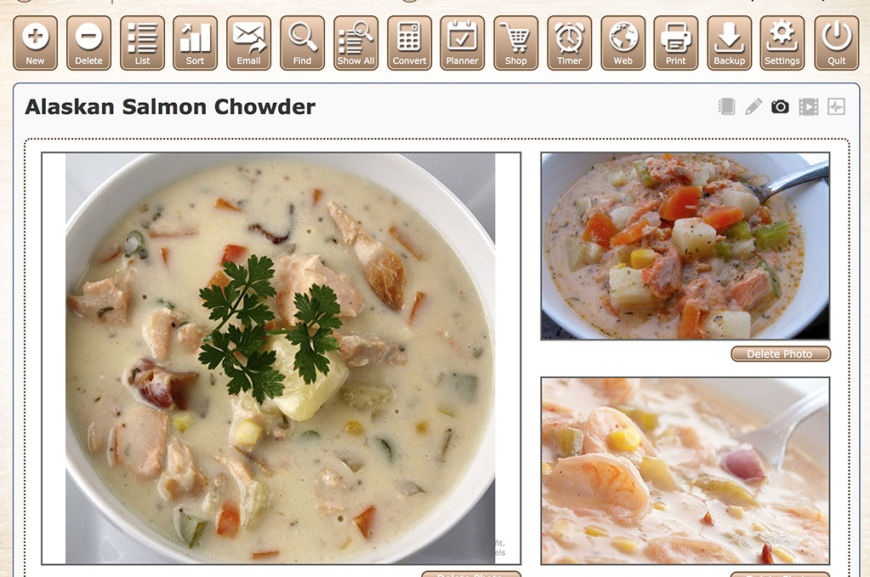
Computer Cuisine Deluxe 9.0 Photo Menu (Wood Theme)
Computer Cuisine Deluxe Windows Mac Recipe Software Organizer Manager
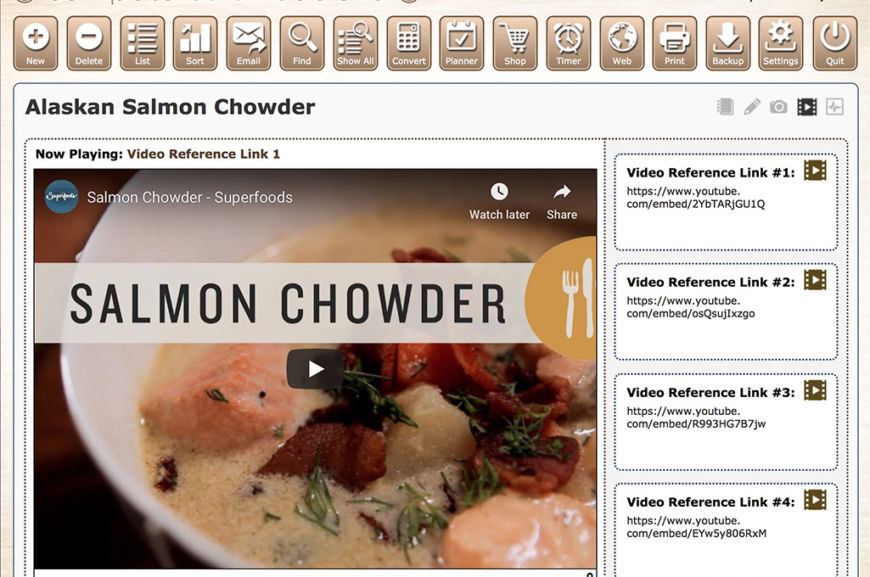
Computer Cuisine Deluxe 9.0 Video Menu (Wood Theme)
Computer Cuisine Deluxe Windows Mac Recipe Software Organizer Manager
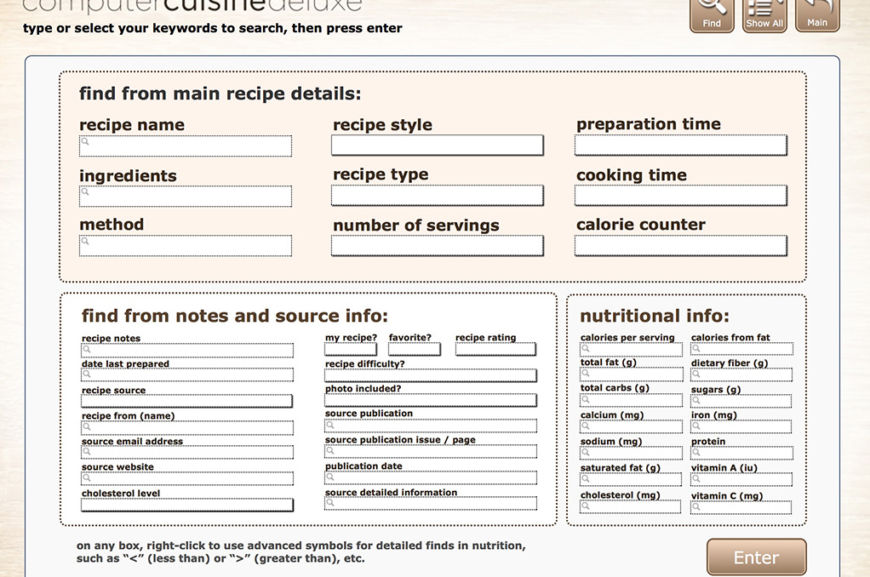
Computer Cuisine Deluxe 9.0 Find Menu (Wood Theme)
Computer Cuisine Deluxe Windows Mac Recipe Software Organizer Manager
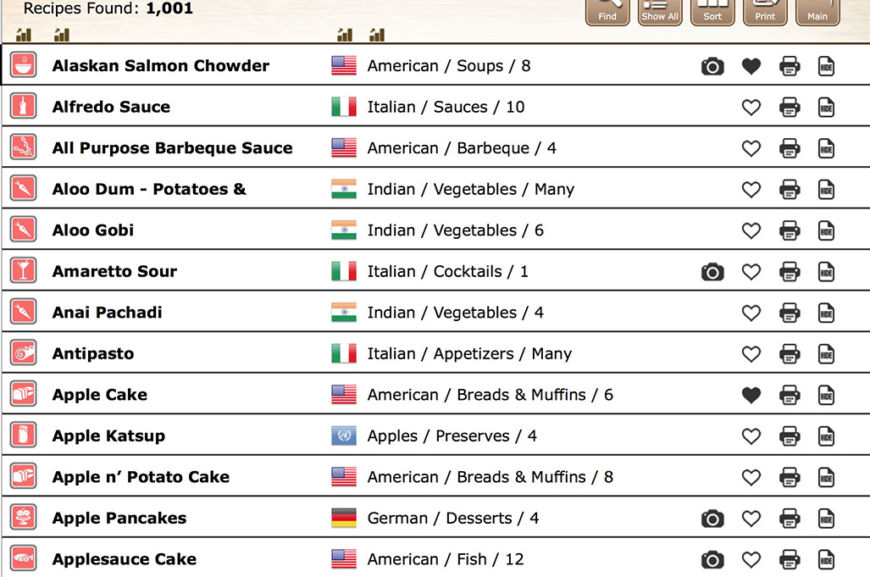
Computer Cuisine Deluxe 9.0 List Menu (Wood Theme)
Computer Cuisine Deluxe Windows Mac Recipe Software Organizer Manager
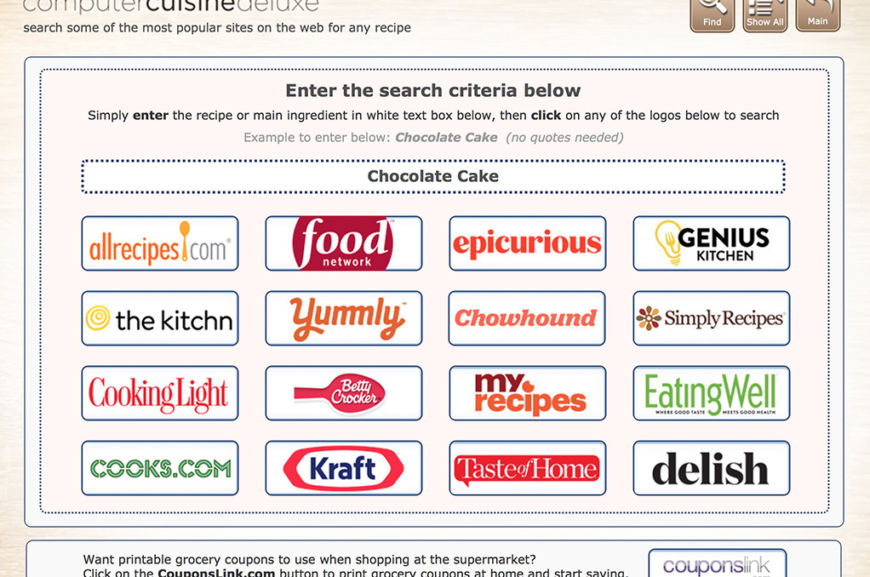
Computer Cuisine Deluxe 9.0 Web Search Menu (Wood Theme)
Computer Cuisine Deluxe Windows Mac Recipe Software Organizer Manager
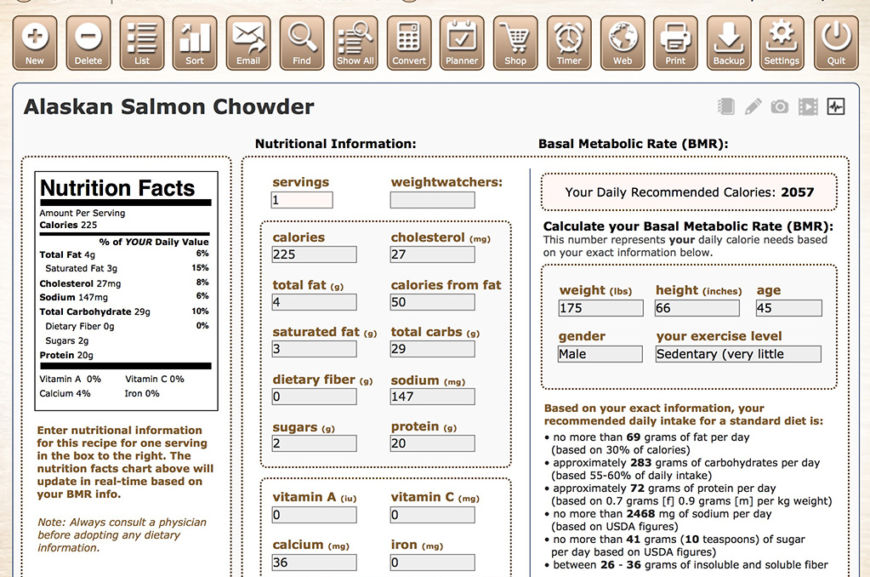
Computer Cuisine Deluxe 9.0 Nutrition Menu (Wood Theme)
Computer Cuisine Deluxe Windows Mac Recipe Software Organizer Manager
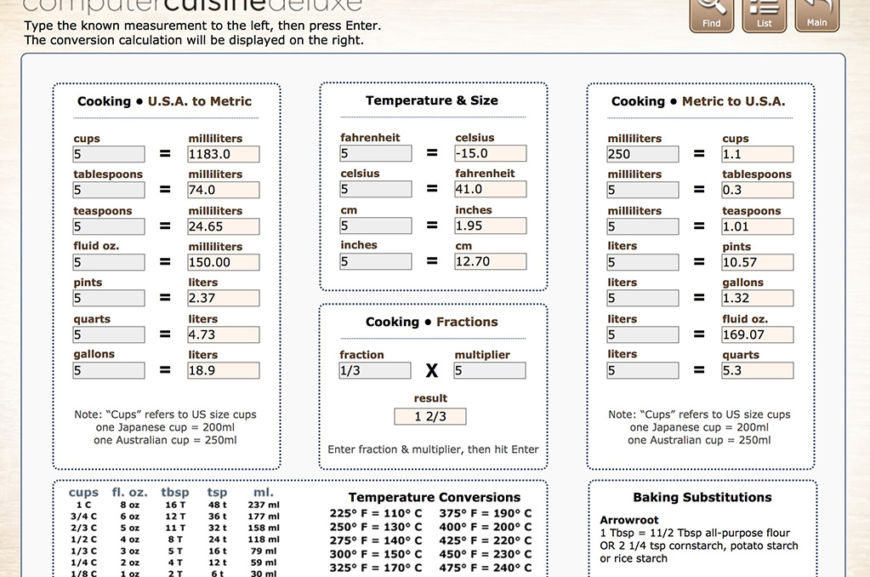
Computer Cuisine Deluxe 9.0 Conversions Menu (Wood Theme)
Computer Cuisine Deluxe Windows Mac Recipe Software Organizer Manager
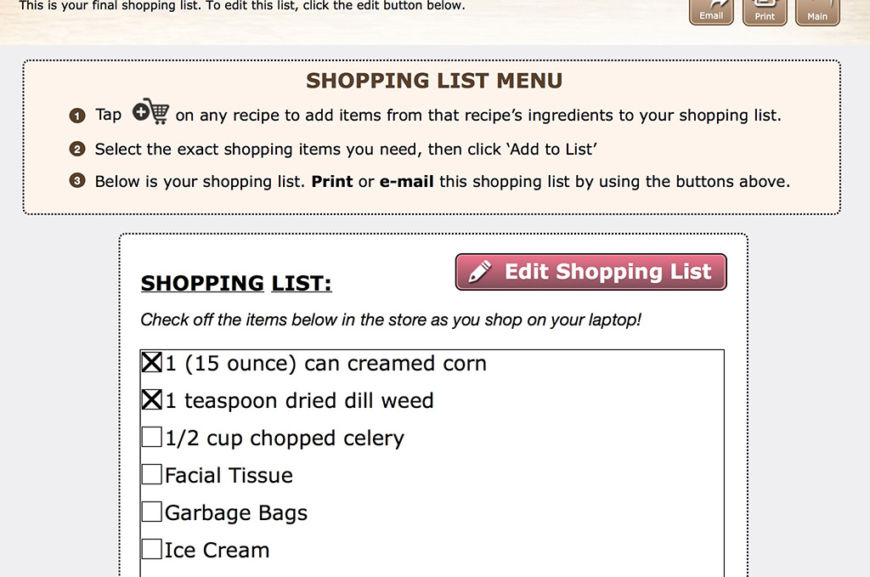
Computer Cuisine Deluxe 9.0 Shopping List Menu (Wood Theme)
Computer Cuisine Deluxe Windows Mac Recipe Software Organizer Manager
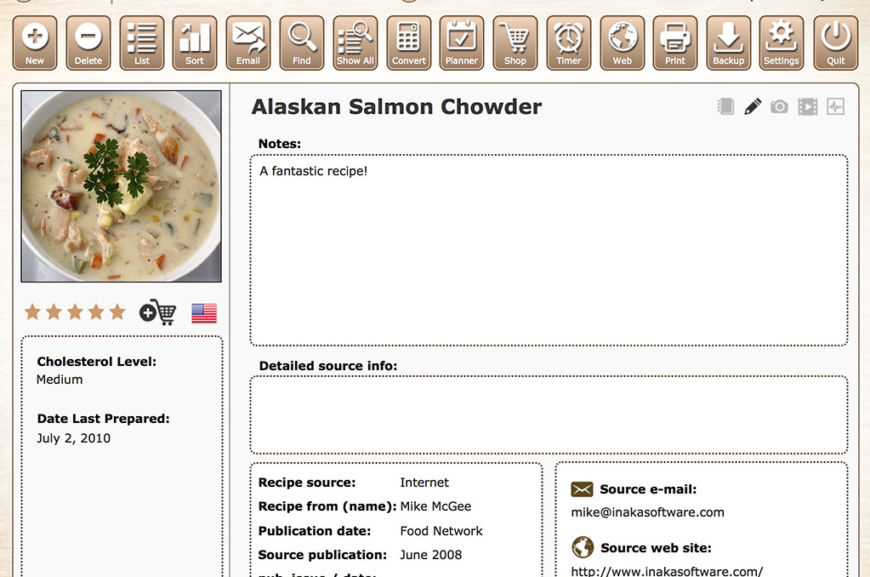
Computer Cuisine Deluxe 9.0 Notes Menu (Wood Theme)
Computer Cuisine Deluxe Windows Mac Recipe Software Organizer Manager
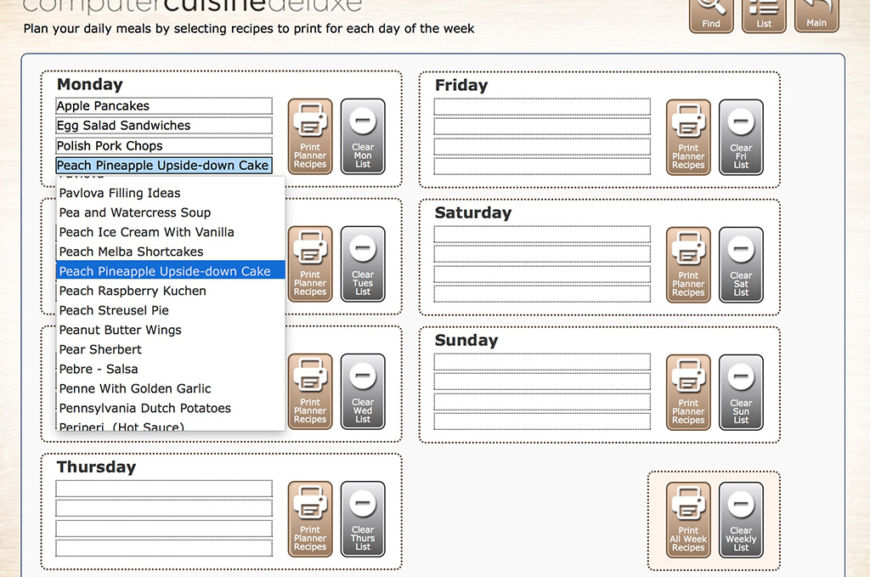
Computer Cuisine Deluxe 9.0 Weekly Planner Menu – Selection (Wood Theme)
Computer Cuisine Deluxe Windows Mac Recipe Software Organizer Manager
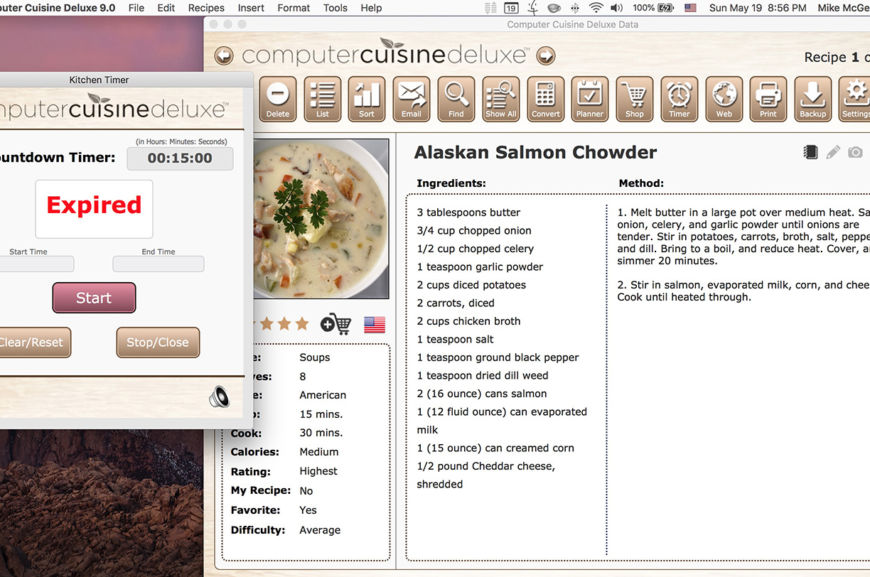
Computer Cuisine Deluxe 9.0 Kitchen Timer Menu (Wood Theme)
Computer Cuisine Deluxe Windows Mac Recipe Software Organizer Manager
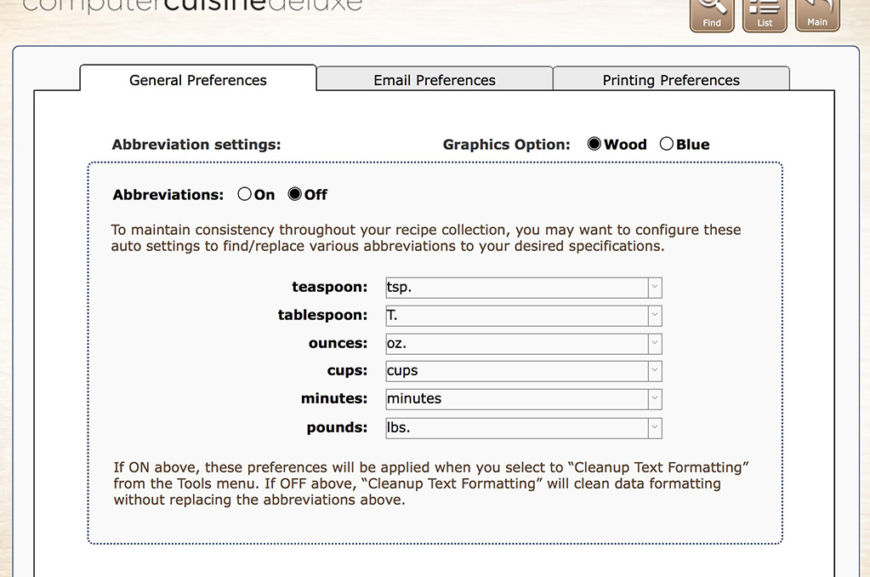
Computer Cuisine Deluxe 9.0 General Preferences Menu (Wood Theme)
Computer Cuisine Deluxe Windows Mac Recipe Software Organizer Manager
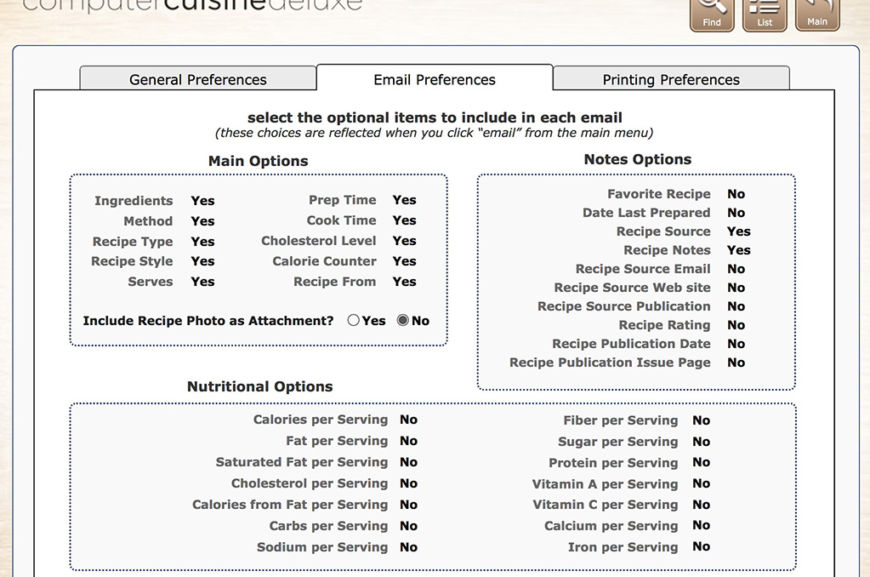
Computer Cuisine Deluxe 9.0 Email Preferences Menu (Wood Theme)
Computer Cuisine Deluxe Windows Mac Recipe Software Organizer Manager
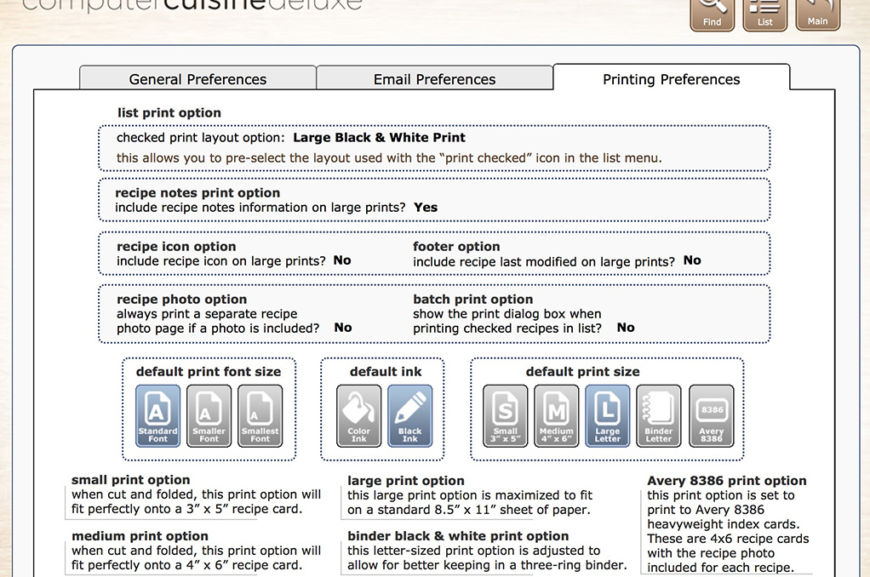
Computer Cuisine Deluxe 9.0 Printing Preferences Menu (Wood Theme)
Computer Cuisine Deluxe Windows Mac Recipe Software Organizer Manager
SAMPLE SCREENSHOTS (BLUE THEME)
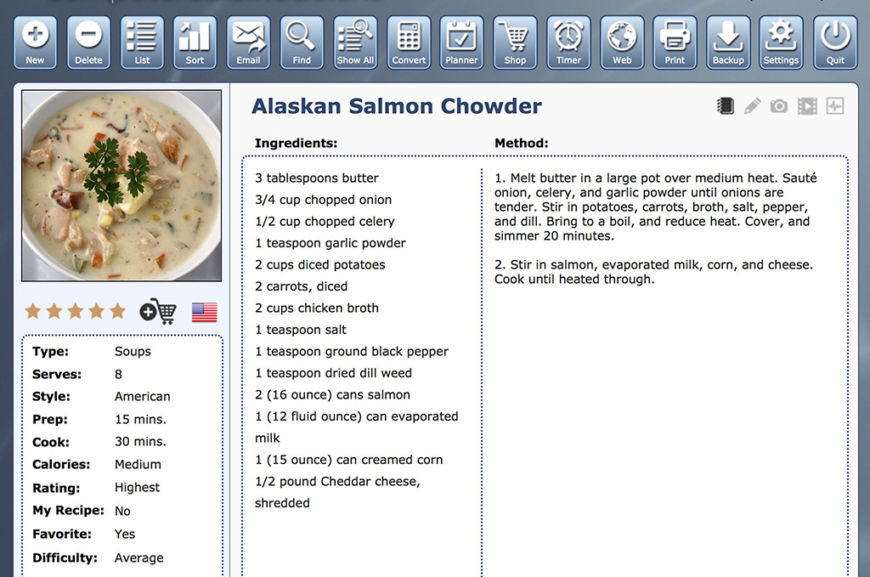
Computer Cuisine Deluxe 9.0 Main Menu (Blue Theme)
Computer Cuisine Deluxe Windows Mac Recipe Software Organizer Manager
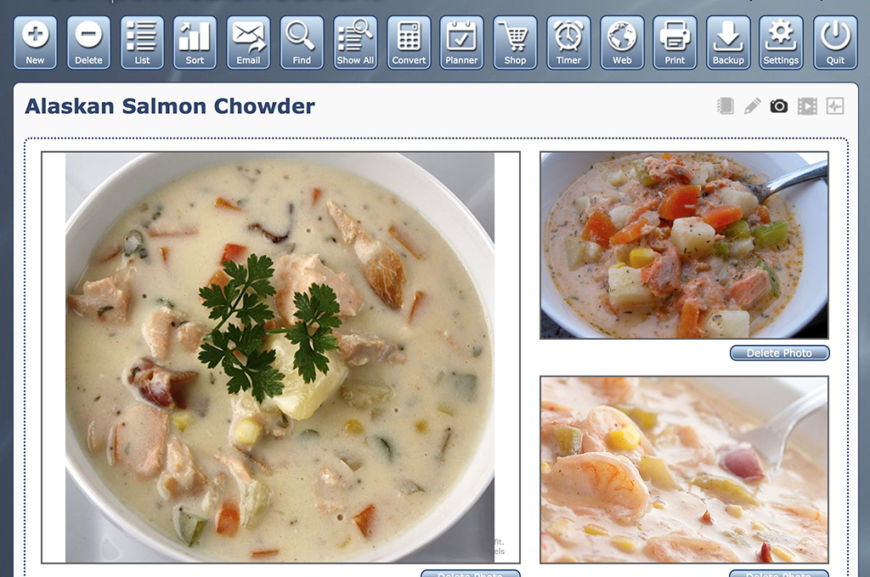
Computer Cuisine Deluxe 9.0 Photo Menu (Blue Theme)
Computer Cuisine Deluxe Windows Mac Recipe Software Organizer Manager
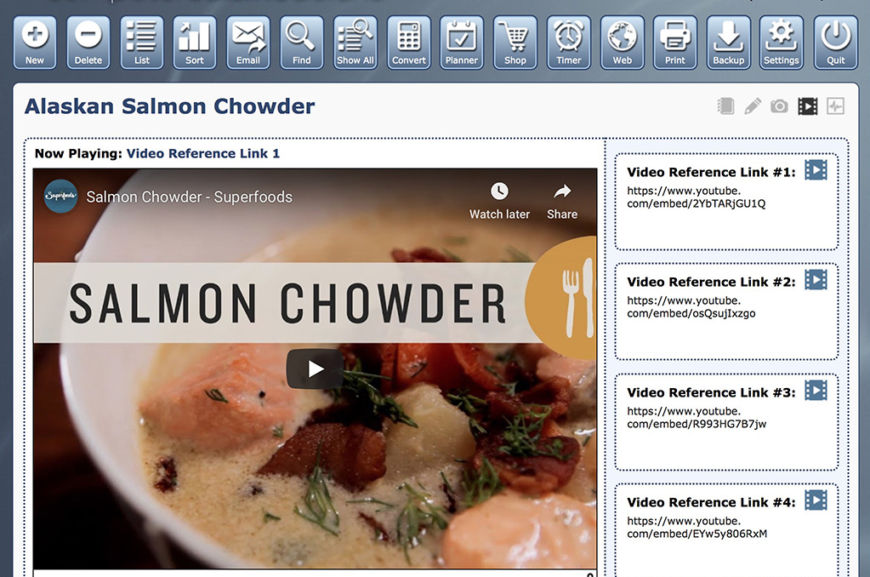
Computer Cuisine Deluxe 9.0 Video Menu (Blue Theme)
Computer Cuisine Deluxe Windows Mac Recipe Software Organizer Manager
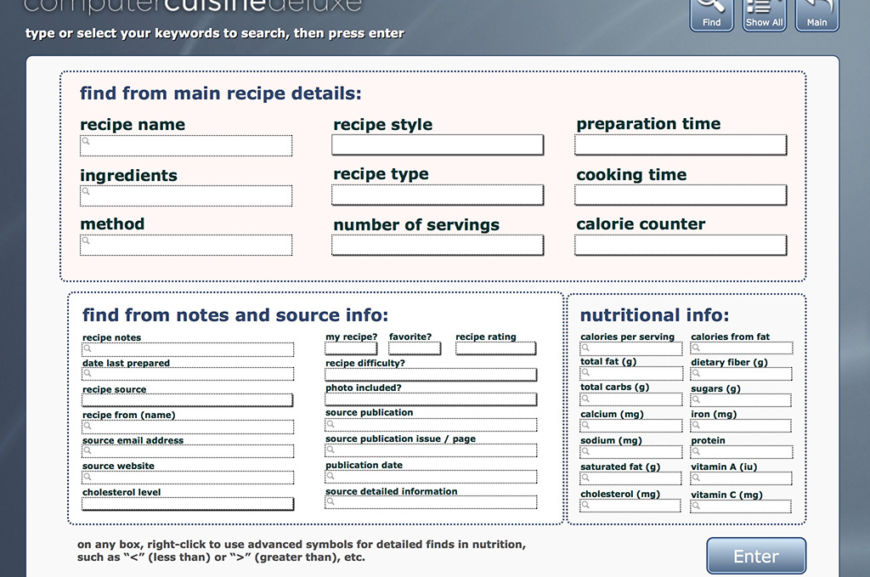
Computer Cuisine Deluxe 9.0 Find Menu (Blue Theme)
Computer Cuisine Deluxe Windows Mac Recipe Software Organizer Manager
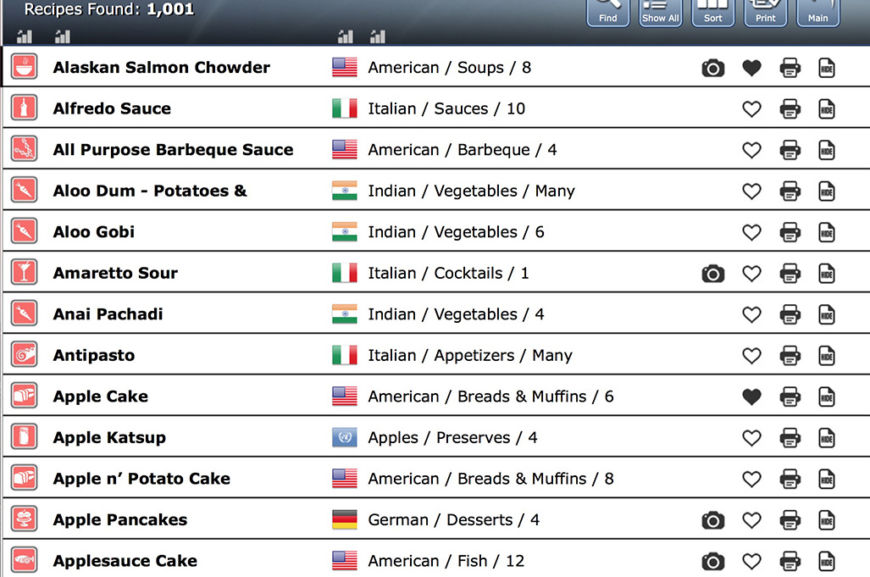
Computer Cuisine Deluxe 9.0 List Menu (Blue Theme)
Computer Cuisine Deluxe Windows Mac Recipe Software Organizer Manager
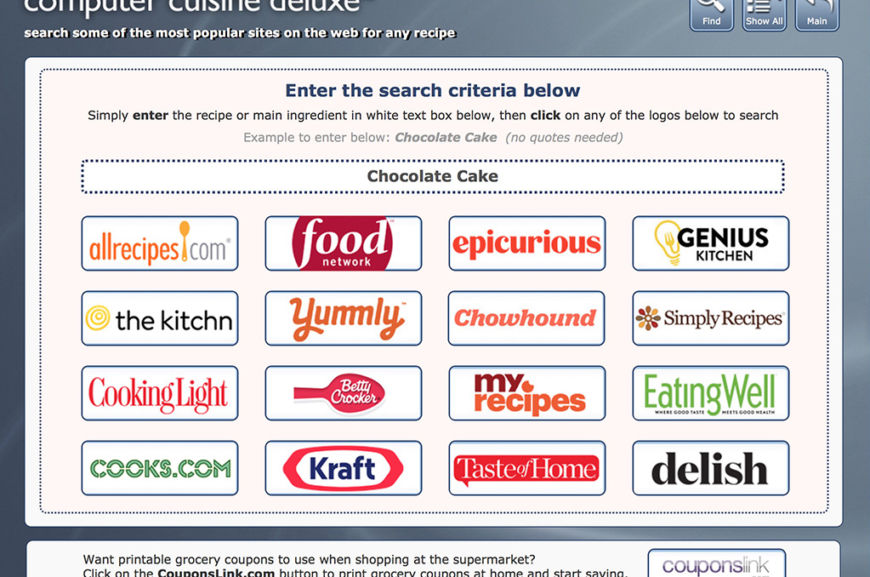
Computer Cuisine Deluxe 9.0 Web Search Menu (Blue Theme)
Computer Cuisine Deluxe Windows Mac Recipe Software Organizer Manager
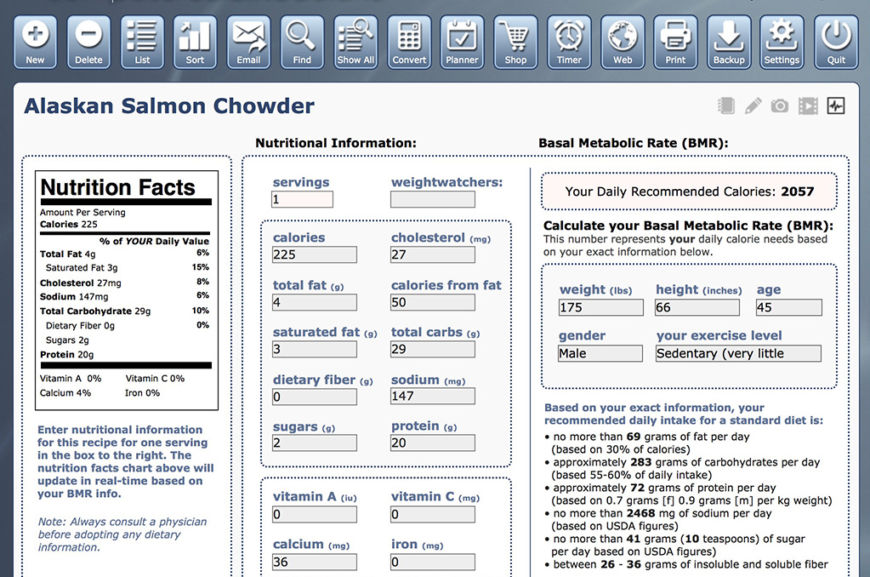
Computer Cuisine Deluxe 9.0 Nutrition Menu (Blue Theme)
Computer Cuisine Deluxe Windows Mac Recipe Software Organizer Manager
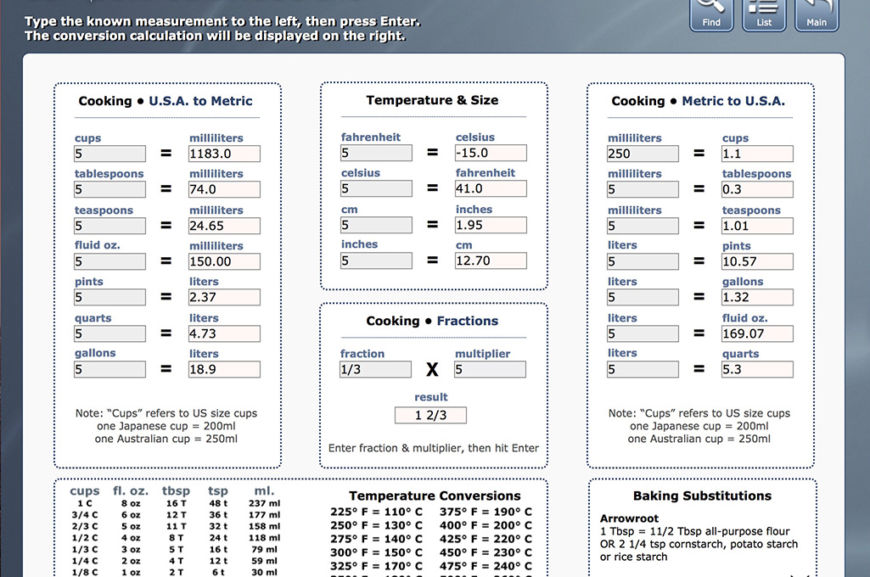
Computer Cuisine Deluxe 9.0 Conversions Menu (Blue Theme)
Computer Cuisine Deluxe Windows Mac Recipe Software Organizer Manager
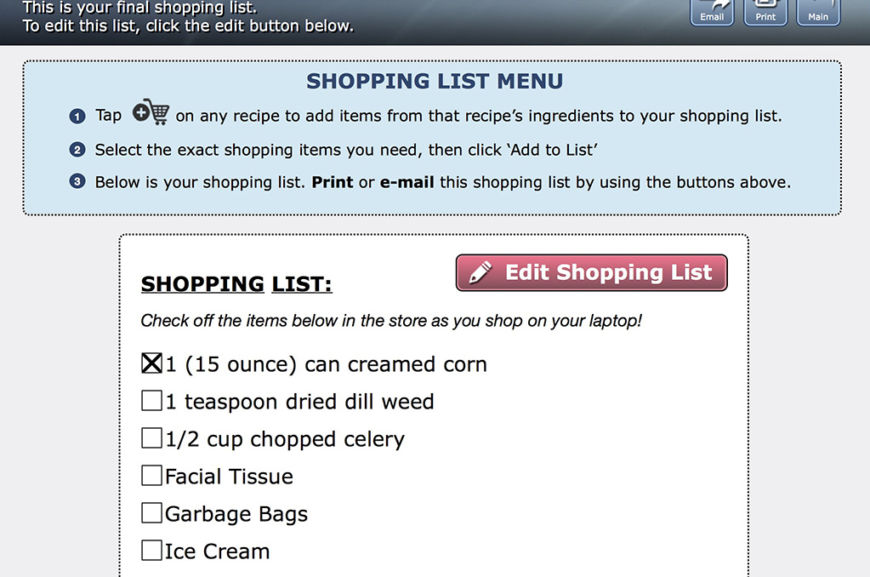
Computer Cuisine Deluxe 9.0 Shopping List Menu (Blue Theme)
Computer Cuisine Deluxe Windows Mac Recipe Software Organizer Manager
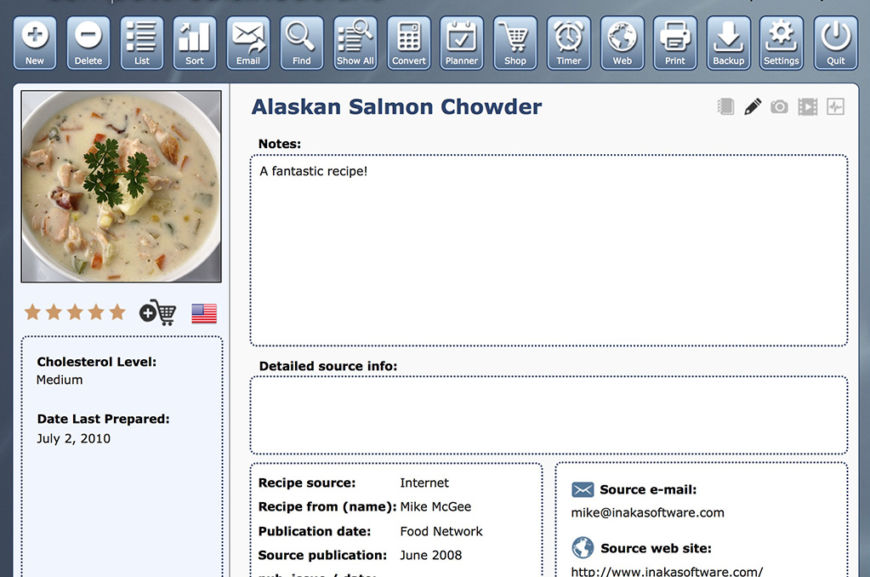
Computer Cuisine Deluxe 9.0 Recipe Notes Menu (Blue Theme)
Computer Cuisine Deluxe Windows Mac Recipe Software Organizer Manager
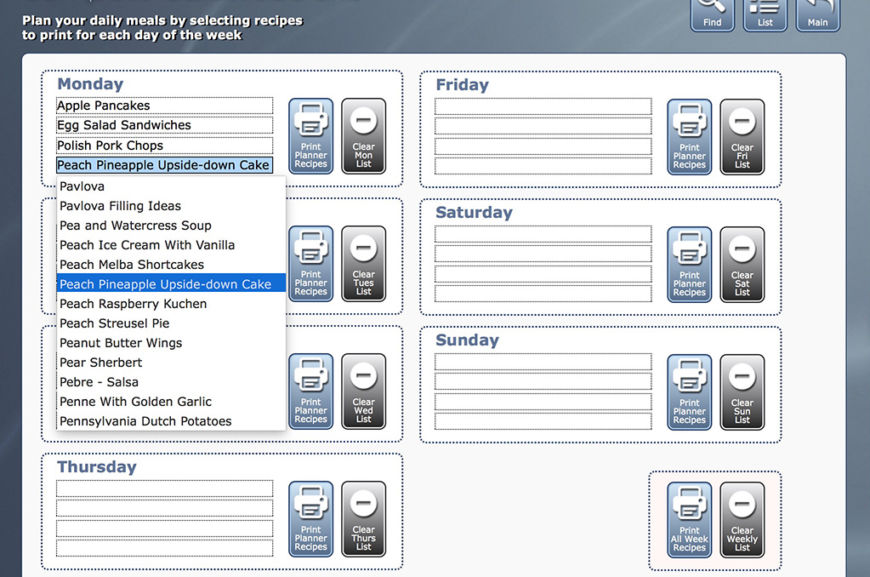
Computer Cuisine Deluxe 9.0 Weekly Planner Selection Menu (Blue Theme)
Computer Cuisine Deluxe Windows Mac Recipe Software Organizer Manager
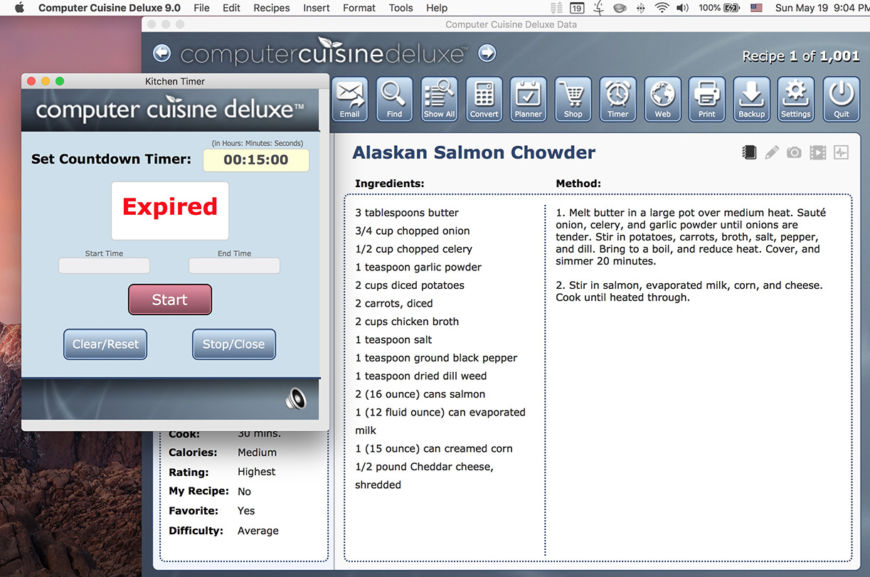
Computer Cuisine Deluxe 9.0 Kitchen Timer Menu (Blue Theme)
Computer Cuisine Deluxe Windows Mac Recipe Software Organizer Manager
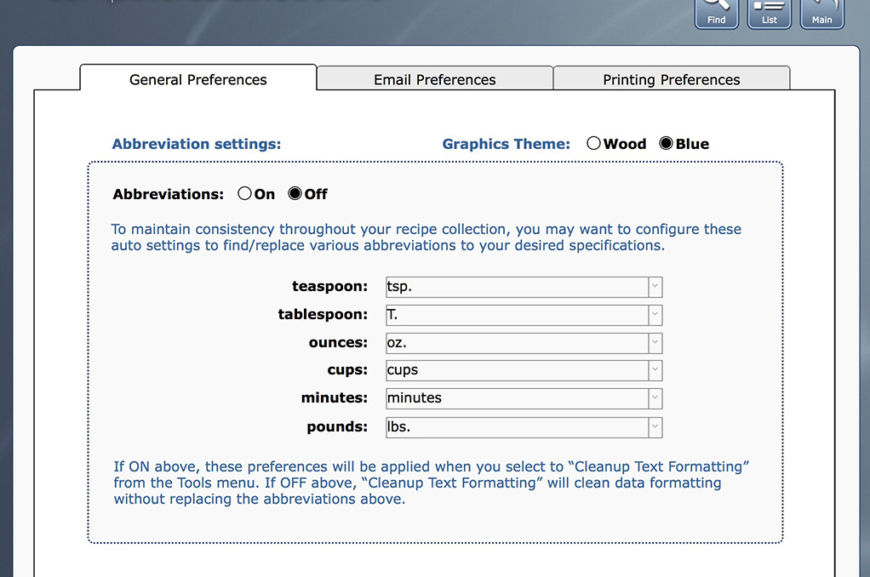
Computer Cuisine Deluxe 9.0 General Preferences Menu (Blue Theme)
Computer Cuisine Deluxe Windows Mac Recipe Software Organizer Manager
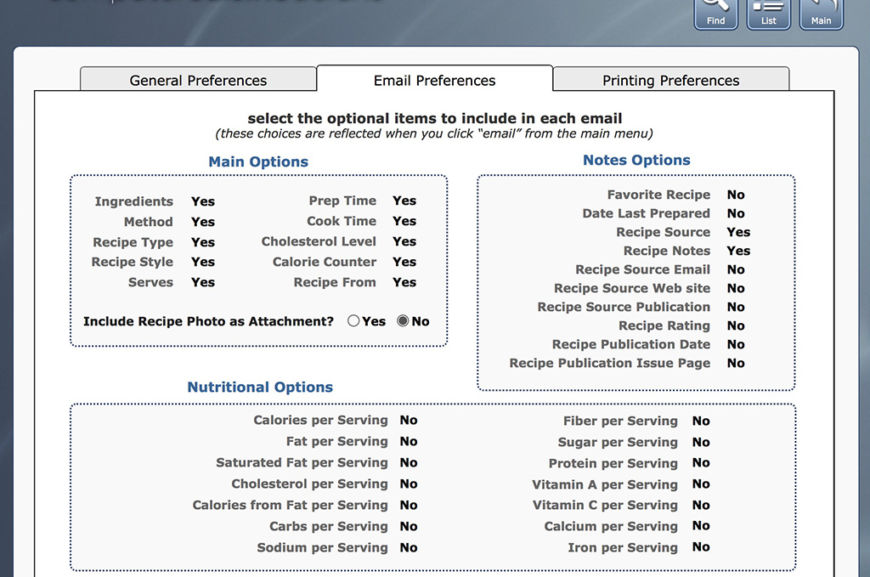
Computer Cuisine Deluxe 9.0 Email Preferences Menu (Blue Theme)
Computer Cuisine Deluxe Windows Mac Recipe Software Organizer Manager
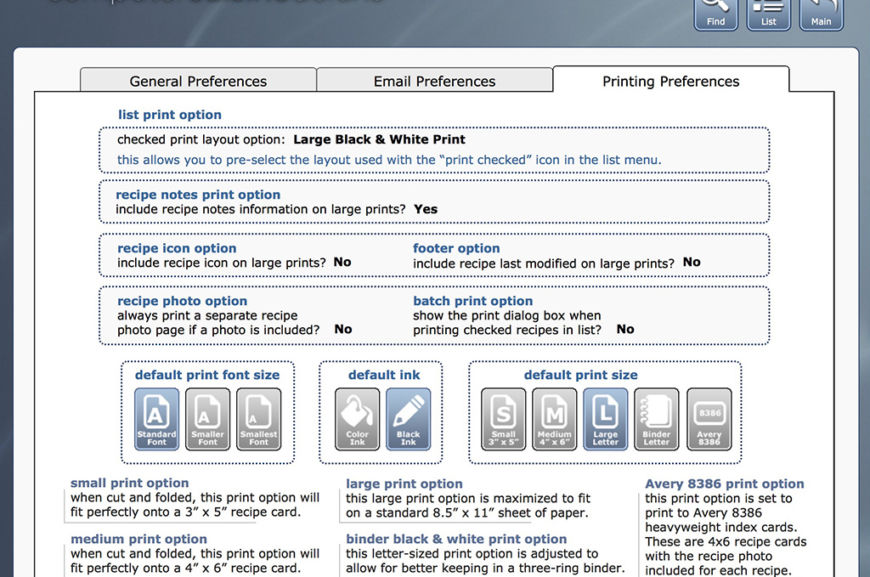
Computer Cuisine Deluxe 9.0 Printing Preferences Menu (Blue Theme)
Computer Cuisine Deluxe Windows Mac Recipe Software Organizer Manager
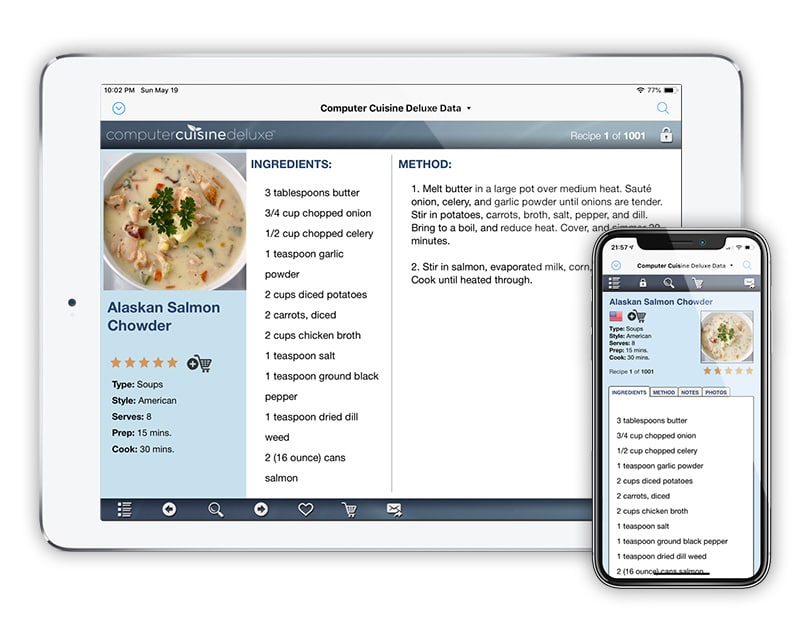
MAC or WINDOWS…or GO MOBILE WITH THE FREE APP!
Computer Cuisine Deluxe is a desktop application available for both Mac OS X & Windows, including macOS Mojave. However, unlike other recipe programs out there that either don’t even have an iOS app, or charge extra for their app, Computer Cuisine Deluxe has a totally FREE companion app (FileMaker Go) which allows you to have your entire recipe collection in your pocket!
With Computer Cuisine Deluxe 9.0, the app will now adjust your recipe viewing/listing for larger iPhone devices like iPhone Plus sizes. And right from your iPhone or iPad, you can search, email, and view your grocery list with ease. In fact, you don’t even need network coverage or data usage to view your collection…it’s right there on your phone, and it’s free!
NEARLY 40 YEARS OLD!
You heard that right and that’s not a typo! I’m Mike, and I created Computer Cuisine Deluxe way back in 1990 where it began as a hypercard template to help my mother store her home recipe collection. In fact, Computer Cuisine Deluxe is the longest running recipe application for the Mac, and has expanded into a Windows version and a companion iOS app for iPhone and iPad. That’s really saying something. Computer Cuisine Deluxe has stood the test of time, and has come a long way!
So in an age when things come and go, or you might be afraid to invest in an recipe application that might hold your important recipe data in some odd proprietary format, well, never fear. I’ve always released Computer Cuisine Deluxe with the idea that your recipe data is yours. Computer Cuisine Deluxe always allows you to export your recipes in the most popular universal format possible, a tab or comma-separated csv file, and more.
So along with the fact that Computer Cuisine Deluxe has been around for nearly 30 years, it’s not going anywhere. So please give it a whirl, and download the free demo to see if you like it. It would make my mom (and me!) happy knowing that people around the globe are using something she inspired. 🙂
Sports Card Database
Baseball card organizer software for macOS and Windows
Sports Card Database is a baseball card organizer application to help you manage your entire baseball card collection on Mac or Windows. Whether you collect vintage baseball cards, modern baseball cards, autographed baseball cards, baseball card relics, limited edition baseball cards, etc., the Sports Card Database will assist you in organizing your entire baseball card card collection in one app on your home computer, whether it runs on macOS or Windows. This baseball card software organizer contains easy-to-use pull-down menus featuring brand names like Topps, Panini, Bowman, Donruss, Fleer, Upper Deck, Score, and more. These pull-down menus will help to avoid repetitive entries to make baseball card collecting more organized and fun. And if you need graded baseball card software from grading companies like PSA, SGC, BVG (Beckett), CSG, HGA and more, there are specialized entries making this an excellent graded baseball card